Halal portfolio check
Enter your brokerage holdings — get each stock's halal status and purification amount.
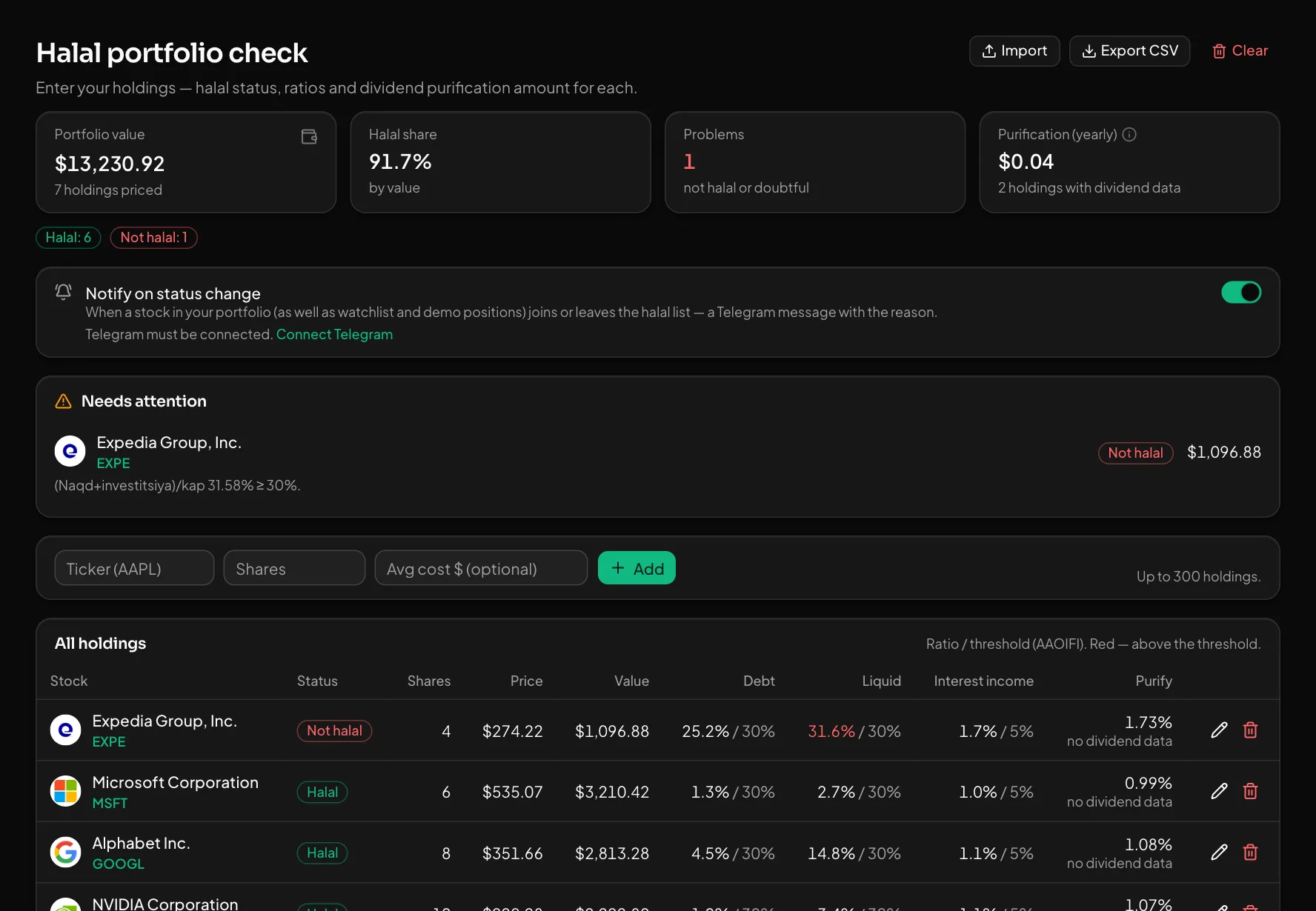
Type in your holdings or import them from a broker statement. The page works out each stock's halal status, its AAOIFI ratios and the yearly purification amount from dividends.
What you get
At a glance
Portfolio value, halal share by value, number of problem holdings and the yearly purification amount. Holdings that need attention sit on top with the reason.
Easy import
Text or a CSV file: IBKR, Schwab, Fidelity and Freedom statements are read. Add/update or replace the whole portfolio. CSV export too.
Status change alerts
When a stock you hold joins or leaves the halal list, you get a Telegram message with the reason.
How to use it
- 1Enter a ticker and the number of shares, or upload a broker file with "Import".
- 2Review the stocks under "Needs attention".
- 3Note the purification amount and turn on status alerts if you want them.
Good to know
- US-listed stocks only, up to 300 holdings.
- Holdings without dividend data are left out of the purification total. Halal status is an automated filter, not a fatwa.
Open an account and try it
Every feature is free for now. Sign up with a phone number or Telegram in a minute.
Start freeOther features
Halal investing questions answered with numbers — updated daily.
What happened in the US market today — at a glance.
Every signal comes with an entry, TP, SL and its outcome. The losers stay visible too.
Who reports and when — with the estimate and the actual result side by side.
What Buffett and other famous investors hold — from SEC 13F filings.
Get notified the moment a price is hit or a signal fires.
See the numbers before you trade: how much risk, how much reward, how many shares.
Practice at real prices with no real money — every trade is analysed in the journal.