Screener
Find the right stocks among 5,000+ US names in minutes.
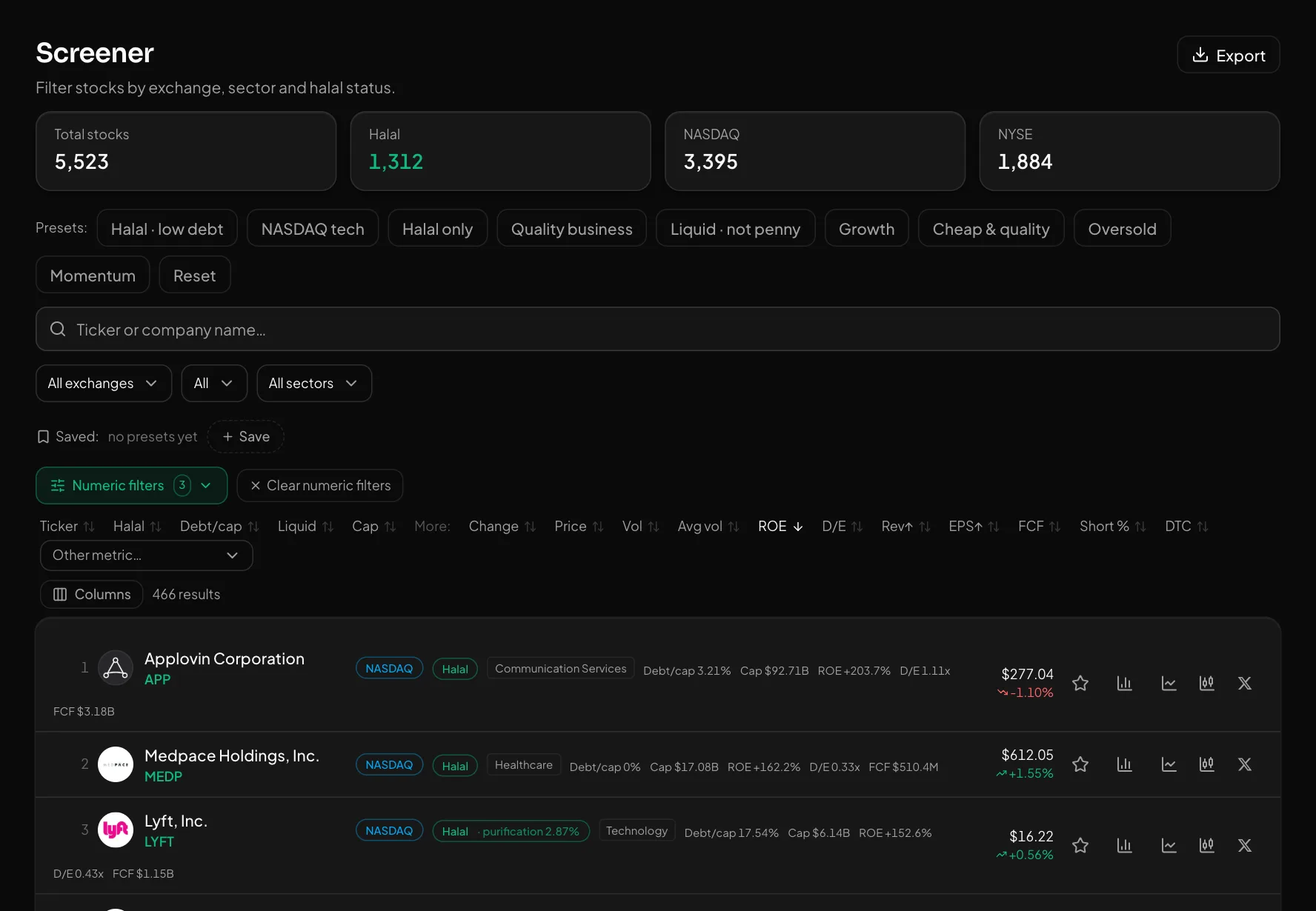
The screener filters stocks by exchange, sector and halal status, and by valuation, profitability, growth, ownership and technical metrics. Start from a ready-made filter or build and save your own.
What you get
Ready-made filters
"Halal · low debt", "Quality business", "Cheap & quality", "Oversold", "Momentum" and more — one click each.
Numeric filters
P/E, PEG, ROE, margins, growth, debt, insider and institutional ownership, short interest, RSI, moving averages, 52-week range and performance — in 7 groups.
Save and get notified
Save a filter and turn on its bell: after each trading day's close you get the newly matching stocks on the site and in Telegram.
How to use it
- 1Pick a ready-made filter, or set the exchange, sector and halal status.
- 2Set the ranges you need under "Numeric filters".
- 3Click a row — the stock's overview, fundamentals, price and news open in a side panel.
Good to know
- Fundamentals refresh roughly every 4 days per stock; short interest (FINRA) is 1–3 weeks old.
- Export (CSV, Excel) covers the current page only. Halal status is a filter, not a fatwa.
Open an account and try it
Every feature is free for now. Sign up with a phone number or Telegram in a minute.
Start freeOther features
What Buffett and other famous investors hold — from SEC 13F filings.
The stocks you follow — with live prices, the result since you added them and a halal badge.
A stock chart with drawing tools, moving averages and price alerts right on the chart.
Everything about one stock: chart, fundamentals, halal analysis and who is buying.
Put 2–4 stocks side by side — the best value in each row is green.
What happened in the US market today — at a glance.
Every signal comes with an entry, TP, SL and its outcome. The losers stay visible too.
Who reports and when — with the estimate and the actual result side by side.