Stock page
Everything about one stock: chart, fundamentals, halal analysis and who is buying.
Every stock has its own page with a chart, a table of key metrics, what the company does and its halal verdict. Superinvestors, short interest and insider trades have their own tab.
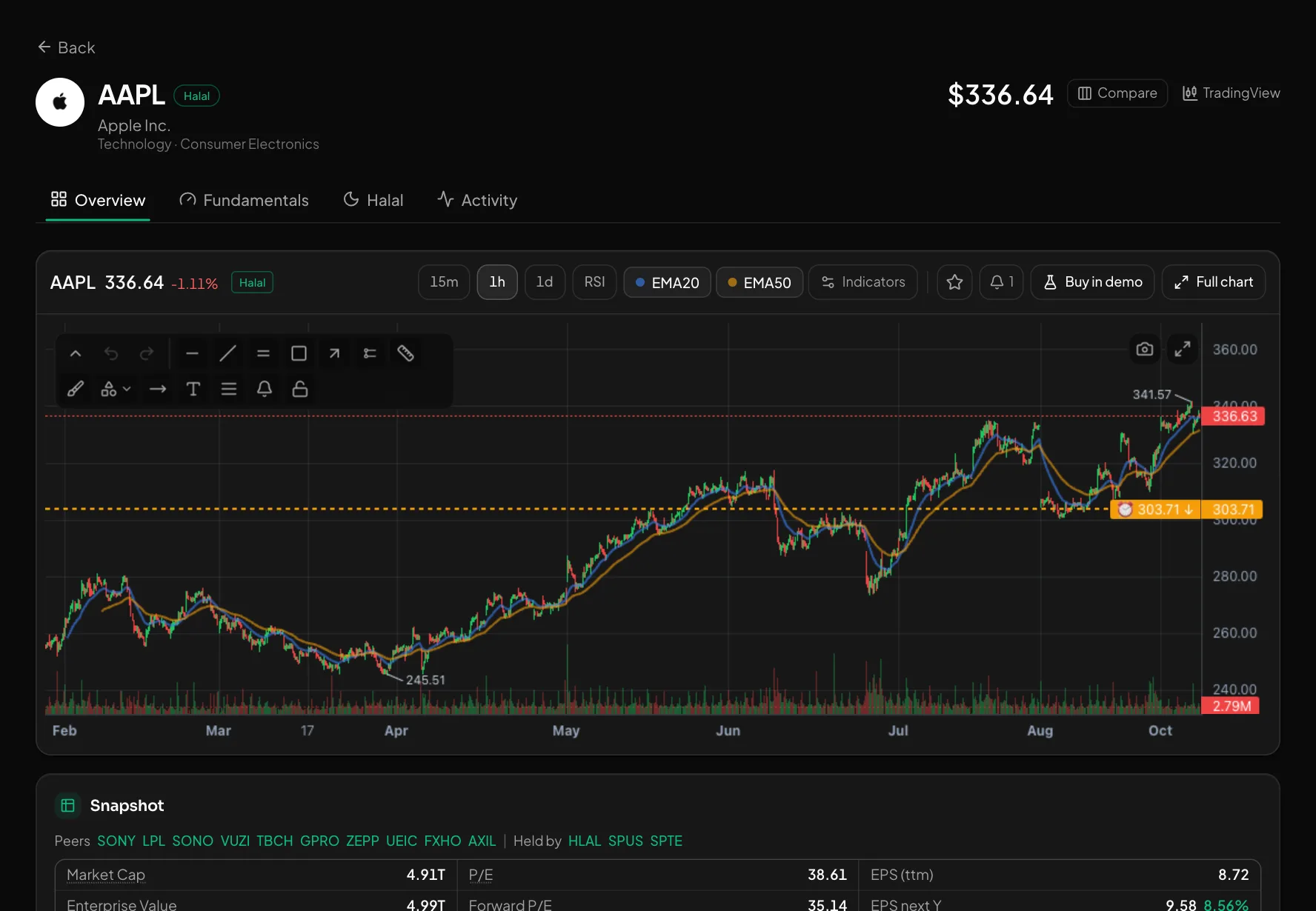
What you get
Overview and fundamentals
Chart, market cap, P/E, EPS, margins, growth, debt, dividend, analyst target and the 52-week range. Peers and the ETFs that hold it.
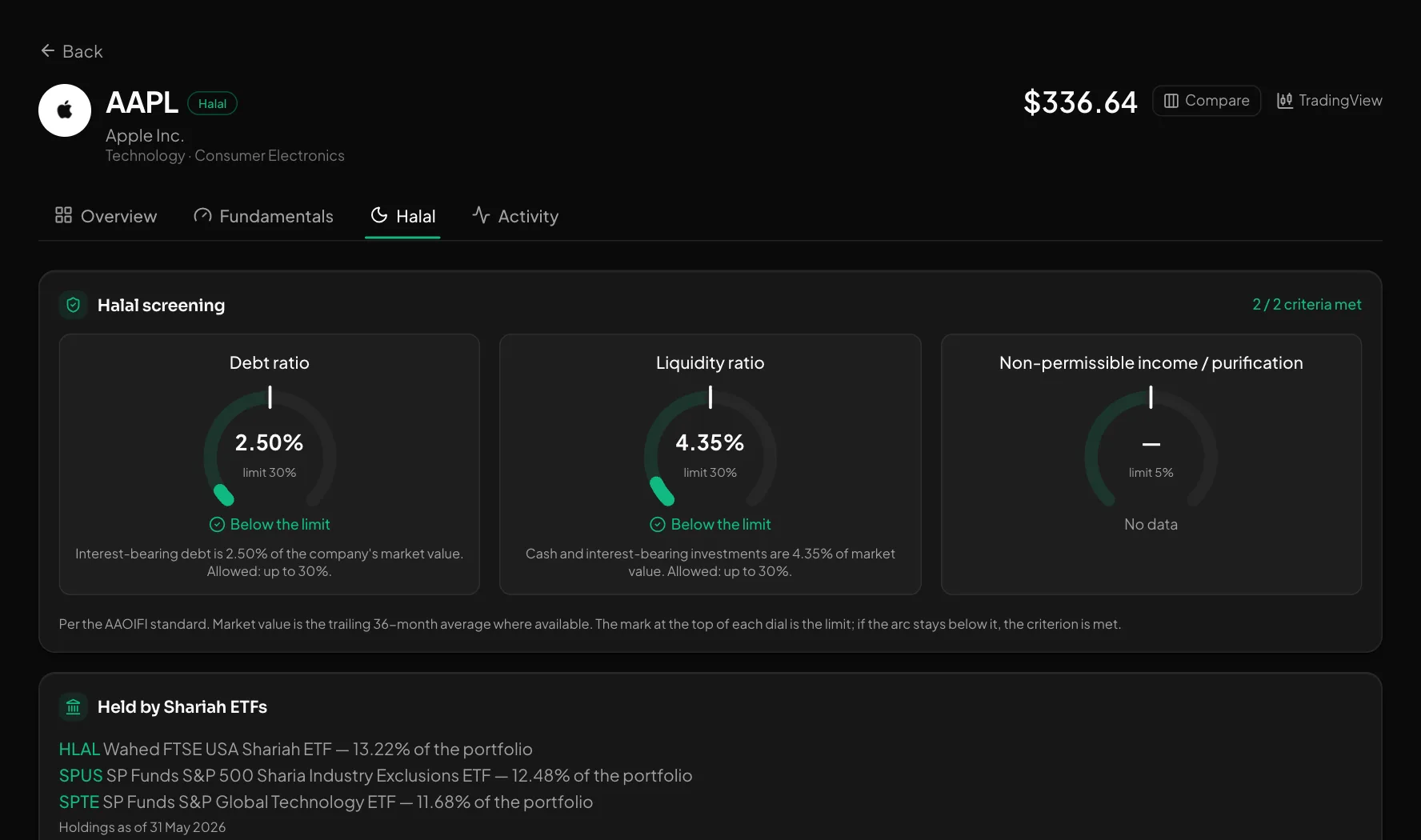
Halal analysis
Debt, liquid assets and impure income against the AAOIFI limits (30% / 30% / 5%). Why it is not halal, if it isn't, and which Shariah ETFs hold it.
Activity
Superinvestors (SEC 13F), short interest (FINRA) and insider trades (SEC Form 4), with grants and options left out.
How to use it
- 1Click a ticker anywhere in the app or find it with search.
- 2Go through the Overview, Fundamentals, Halal and Activity tabs.
- 3Use "Compare" to see it next to other stocks, or open the full chart.
Good to know
- Superinvestor data comes from 13F filings, up to 45 days late. Fundamentals are cached for 12 hours.
- The halal verdict is an automated filter, not a fatwa. Its reason texts are in Uzbek for now.
Open an account and try it
Every feature is free for now. Sign up with a phone number or Telegram in a minute.
Start freeOther features
What Buffett and other famous investors hold — from SEC 13F filings.
The stocks you follow — with live prices, the result since you added them and a halal badge.
Find the right stocks among 5,000+ US names in minutes.
A stock chart with drawing tools, moving averages and price alerts right on the chart.
Put 2–4 stocks side by side — the best value in each row is green.
What happened in the US market today — at a glance.
Every signal comes with an entry, TP, SL and its outcome. The losers stay visible too.
Who reports and when — with the estimate and the actual result side by side.